With PifPaf Match the shot timer starts the camera a few seconds before the beep and stops it once the run is over. After the match every competitor has a short, clean video of their run – and nobody at the bay touches the camera or a phone.
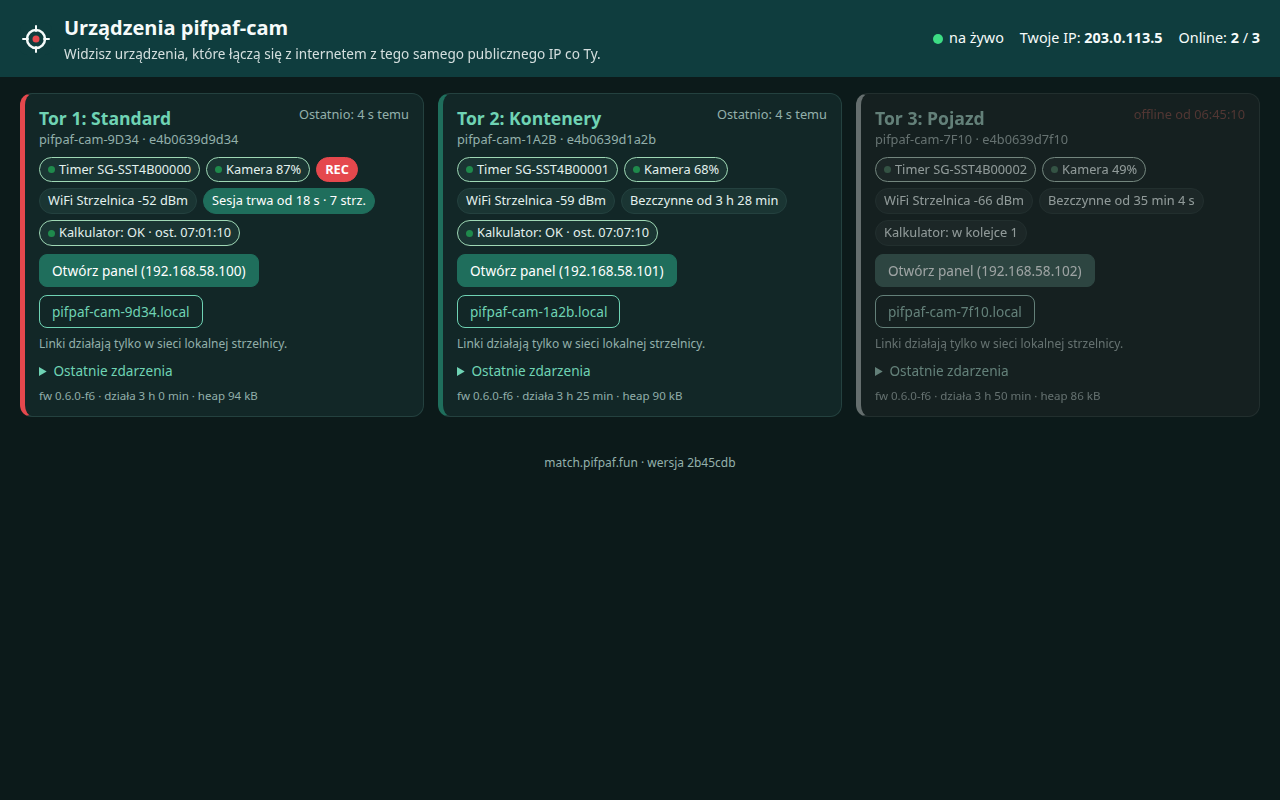
Match Board · stage 1 is recording because the timer started
The range officer does what they always do: starts the timer. Match Cam – a small device at the bay, linked wirelessly to the timer and the camera – takes care of the camera.
When the range officer starts a session on a Shooters Global timer, Match Cam starts recording on a DJI Osmo Action 4 – the camera is already running 5–7 seconds before the beep. After the session ends it keeps recording for another 10 seconds and stops by itself.
The result: one file per run on the camera's card, named by recording time. No hour-long footage to scrub through, no manual cutting, and no run lost because someone forgot to press record.
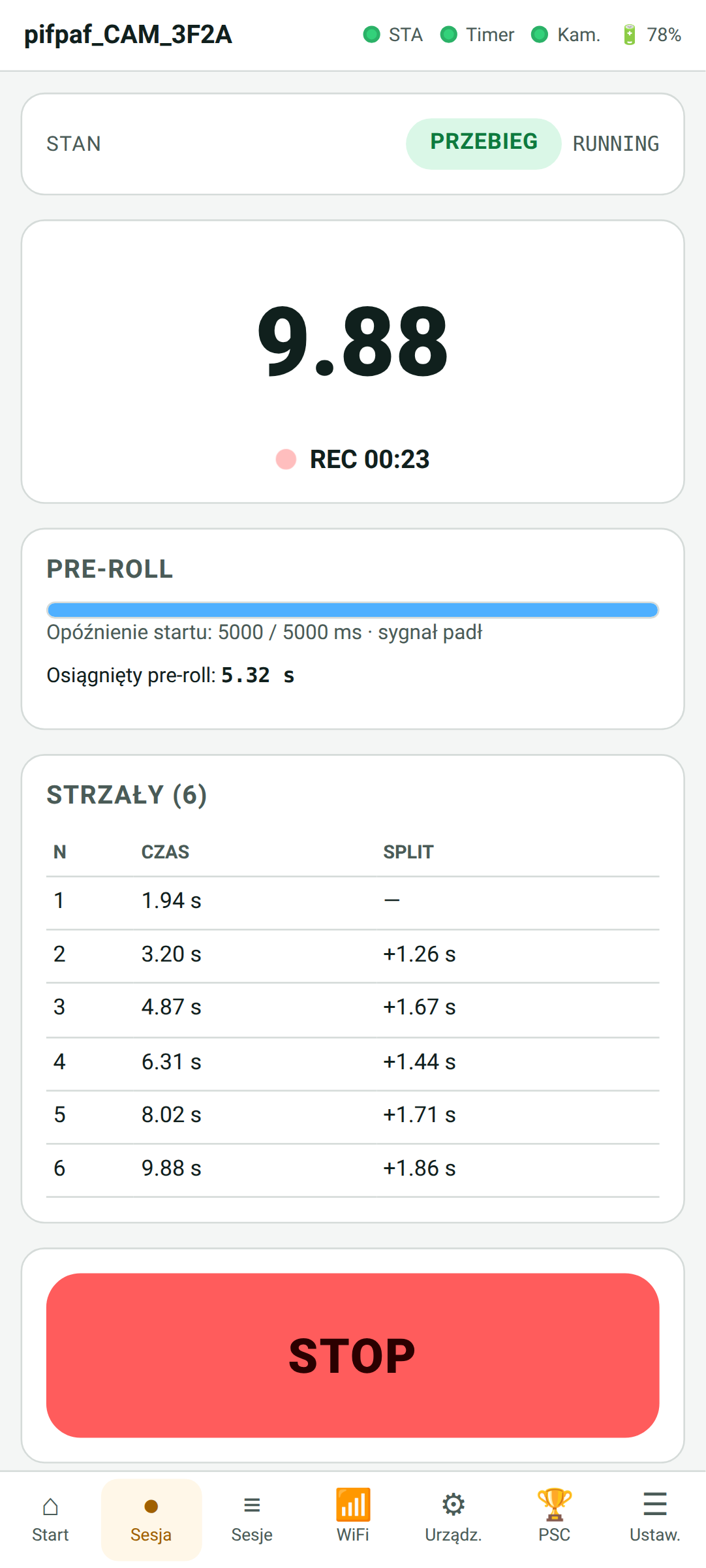
Session preview · recording since 5.32 s before the beep
Match Cam sets the start delay and starts the camera. By the time the beep sounds, the recording already has a few seconds of margin.
The camera records and the device LED glows red – everyone around the bay can see a run is on. Nobody operates anything.
After the session ends the camera records another 10 seconds and stops. A short file is on the card – and the bay is ready for the next competitor.
Since Match Cam knows about every timer session anyway, it can do more than start the camera.
Every session – shot times, splits, start delay and par settings – is saved on the device and, when there is Internet, sent automatically to the PiRO calculator. No signal is not a problem: sessions wait in a queue and go out once the connection is back.
Every entry gets a temporary ID code for the Piro Overlay / ShotHUD ID tone, so the video can be matched to the score even when the range had no Internet at all.
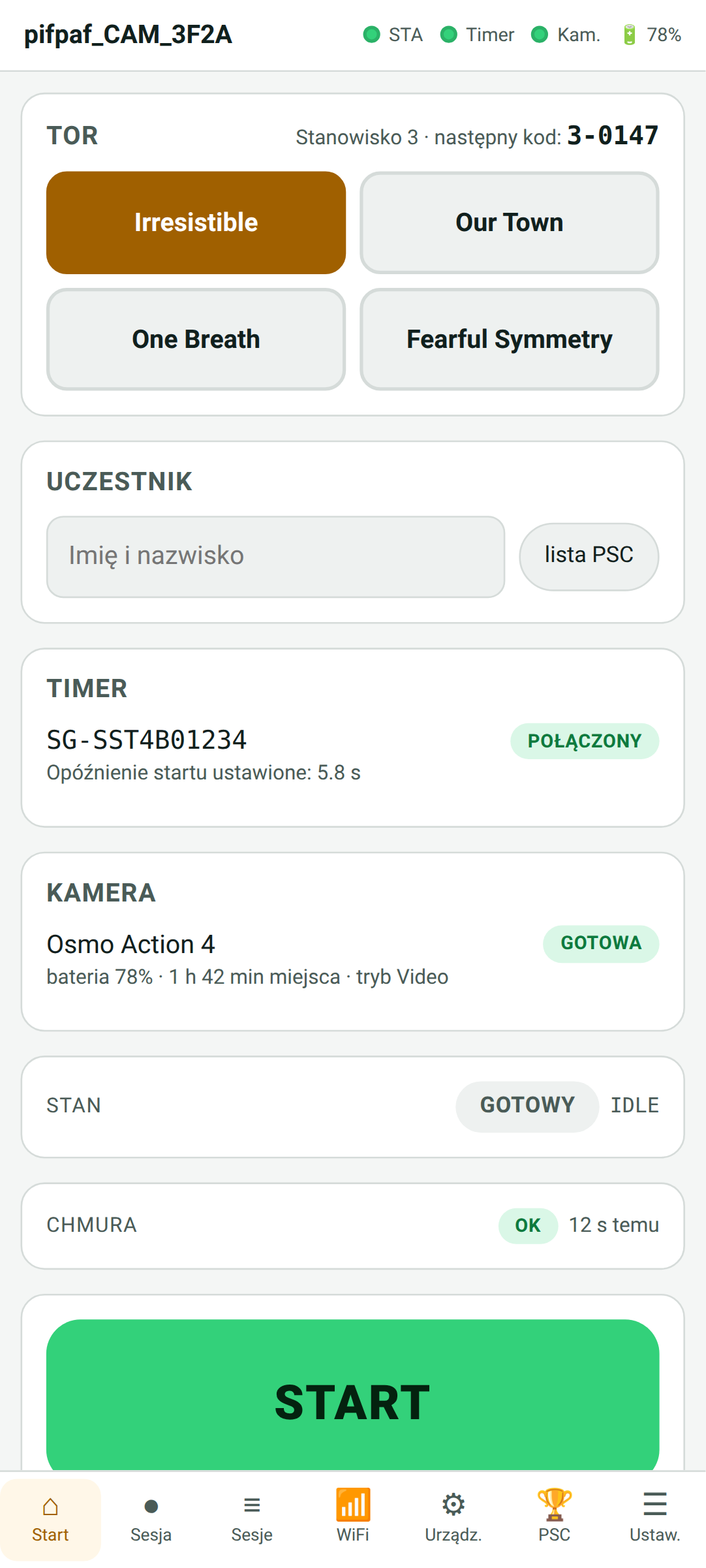
Home screen · timer and camera state, next ID code
You upload the Practiscore match export (match_def and match_scores) to the device. Match Cam matches sessions to competitors by raw time, stage and time of day.
When a match is not clear-cut, it is flagged for a decision – never guessed. The final result goes to the calculator together with the Practiscore data.
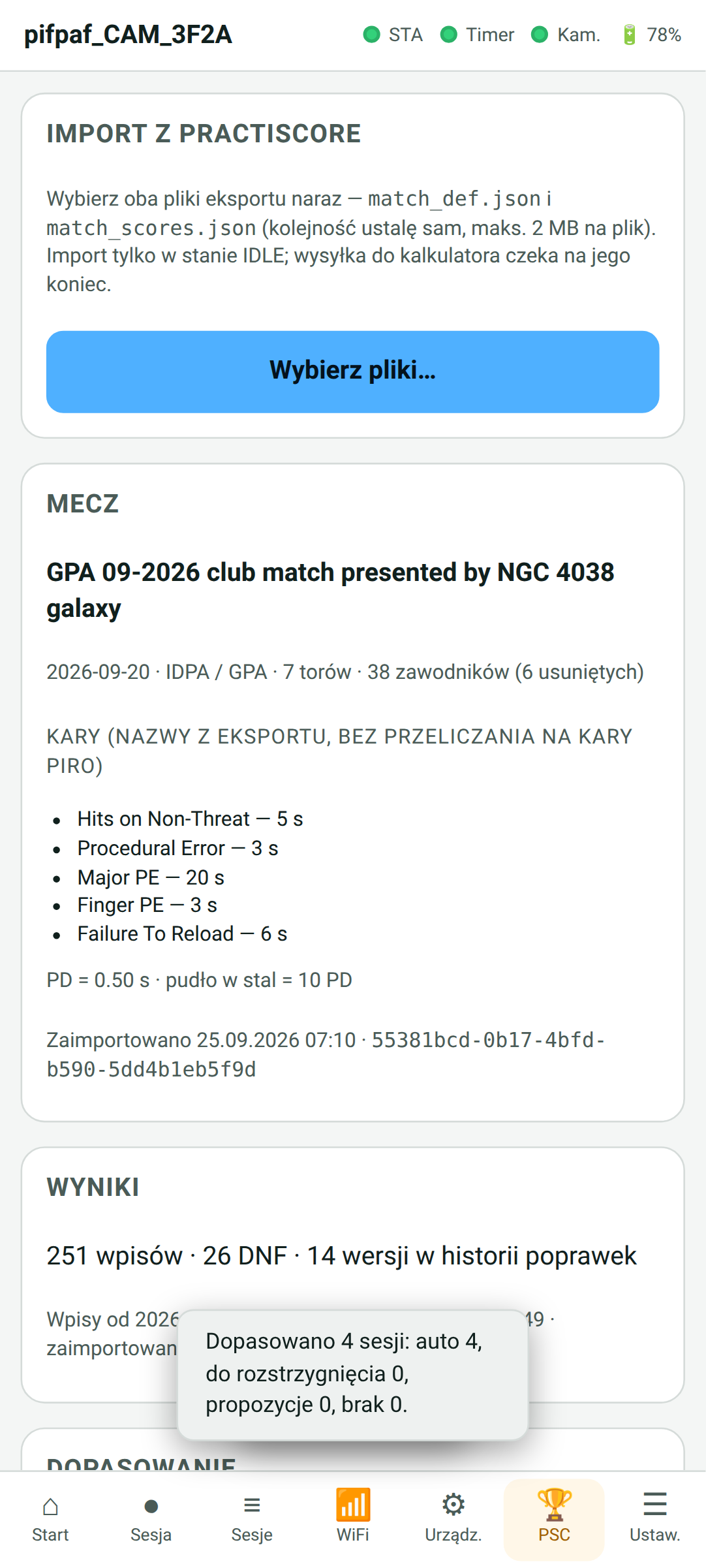
Practiscore import · match, penalties and session matching
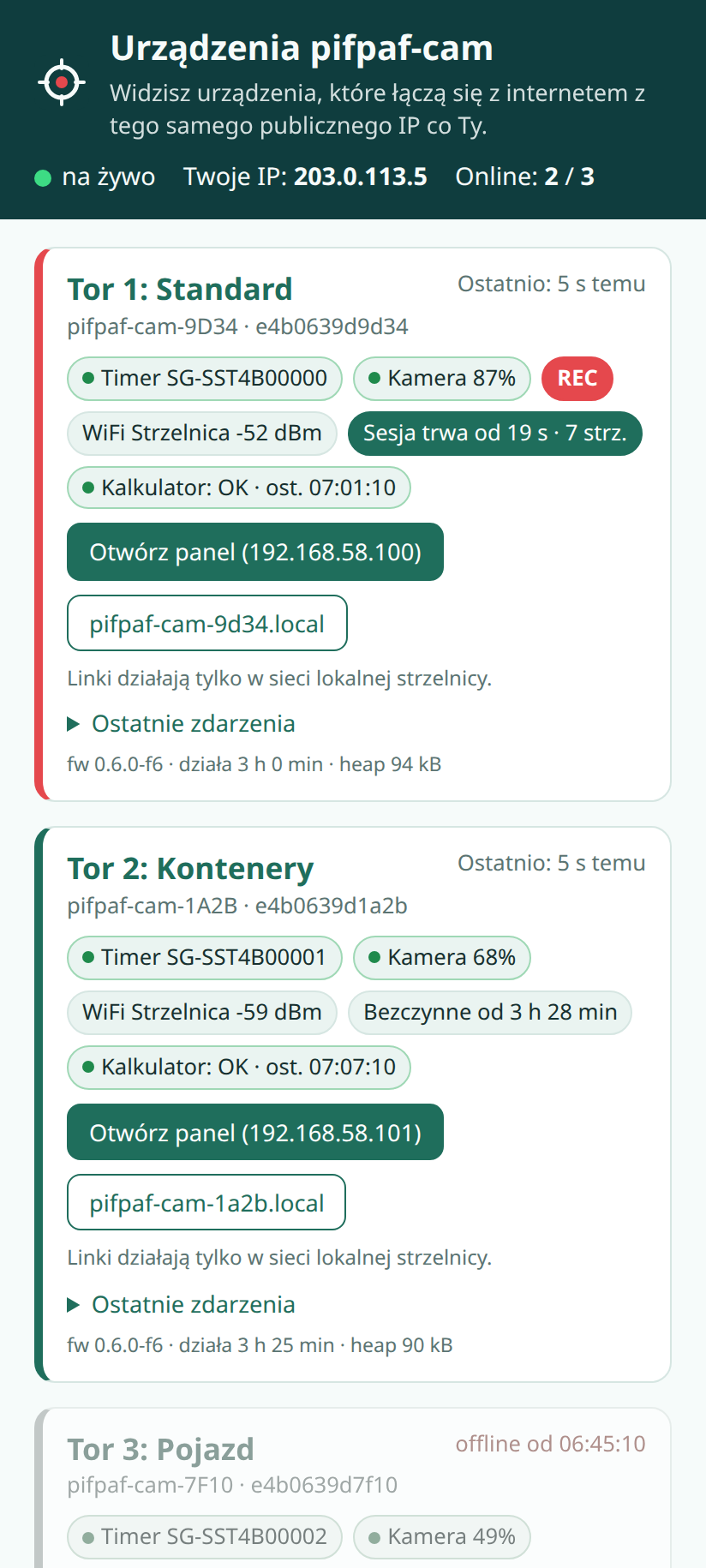
Every device with Internet access reports its state every 30 seconds, and immediately on every event: timer and camera connected, session start, beep, stop, recording, calculator upload, warnings and stage changes.
match.pifpaf.fun shows only the devices at the same range (the same public IP address as the viewer), with a link to each one's local panel. Live updates, no login needed to watch; the operator has a separate admin panel.
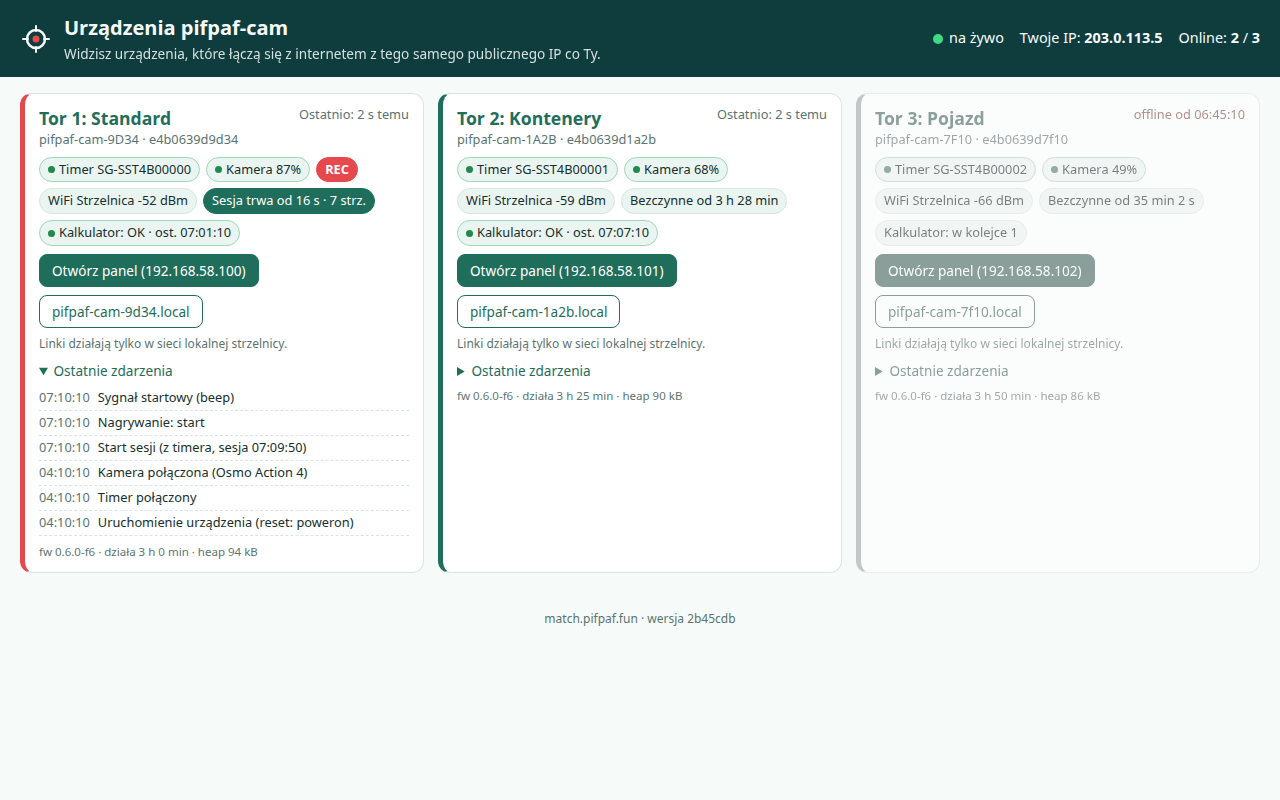
Match Board · stage status and recent events
Match Cam brings up its own Wi-Fi access point or joins the range's Wi-Fi, and a panel opens in the phone browser: timer and camera pairing, settings, stage names, Practiscore import, the session list, shot preview and firmware updates. No app to install.
The panel is for preparing the bay and for looking in. During shooting nothing needs to be operated – the timer in the range officer's hand is enough. With several stages at once, each device has its own name (pifpaf-cam-XXXX) and its own stage number.
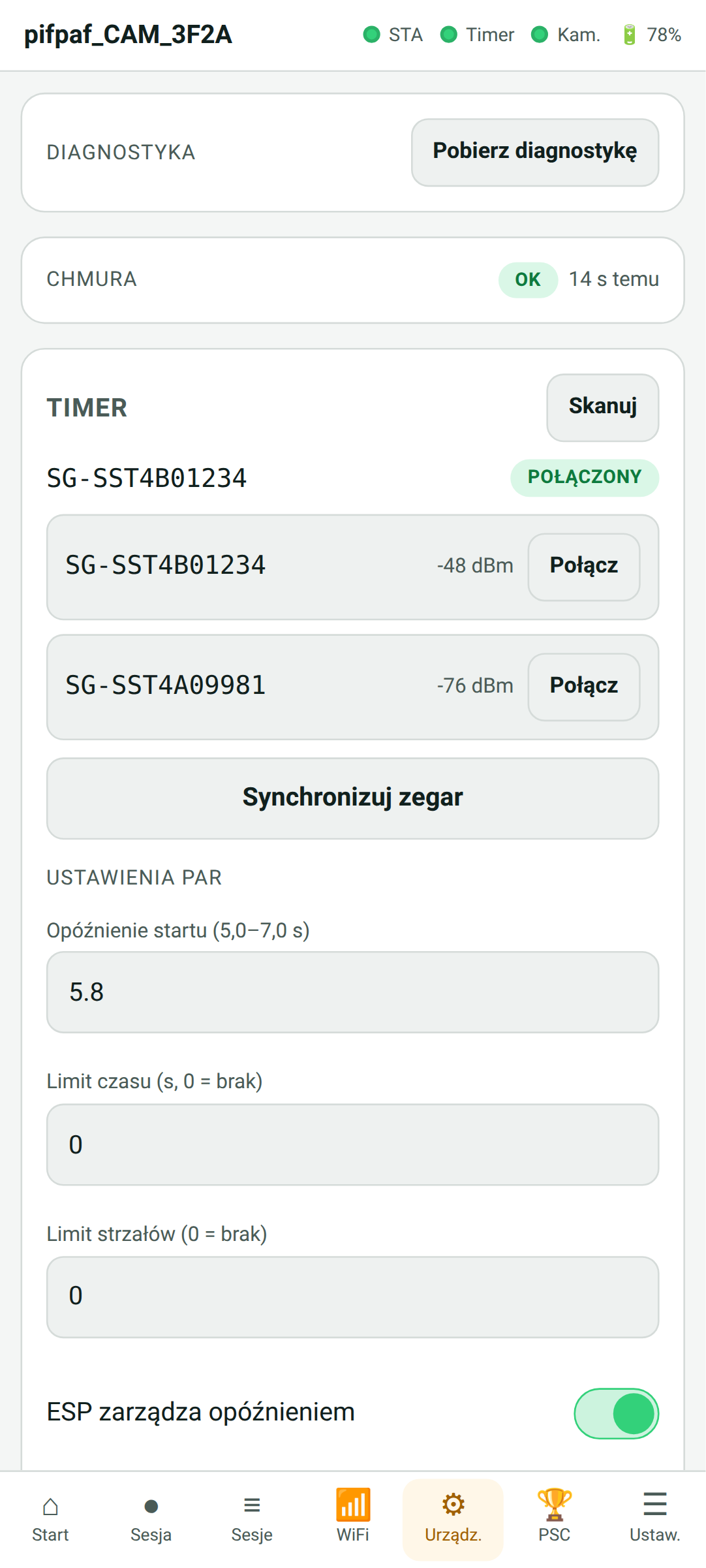
Setup · timer pairing and par settings
For anyone who runs dynamic shooting matches – IPSC, IDPA, PiRO – or training, and wants every shooter to go home with video of their runs.
After the match every competitor has a short video of their run – from just before the beep to a few seconds after the last shot.
The camera starts and stops with the timer. Nobody has to remember the record button or be assigned to filming.
One file is one run, named by recording time. Nobody spends the evening scrubbing through an hour of footage looking for starts.
The session reaches the PiRO calculator right after it ends, with an ID code linking it to the video. No Internet – a queue and upload later.
Match Board shows where a run is on and whether the camera is recording. Practiscore assigns runs to competitors without guessing.
Electronics and software – Zjawa.IT / PifPaf.fun. Updates are installed wirelessly, and features grow together with range officers and match directors.
No need to pull out a phone to know whether Match Cam is ready.
Many devices can work at one range – each with its own name and stage number.
The device panel and the board are in Polish.
Write to us – we will go through availability, setup at your range and how to connect the system to your matches. We are happy to show it working.
✉️ szkolenia@pifpaf.fun PifPaf